
Putting your precious time, valuable energy, and budget into a website but not seeing the results you expect?
We know how it feels. You do what you’ve been told, like publishing content, improving web design, and investing in ads. But your website’s traffic is stuck in one place.
The issue is not about your effort. It’s all about the hidden technical SEO culprit working against your website. At Burnesseo, we’ve been walking along with businesses for years now. We’ve dealt with a lot of them, facing the same SEO challenge.
What we’ve learned is simple and important: sometimes the issue is all that’s happening behind the scenes of your website traffic.
So, in this guide, we’ll help you make sense of it all with no jargon and no overwhelming concepts. We will tell you clear and practical ways to understand, identify, and fix the technical problems that may be really harming your website.
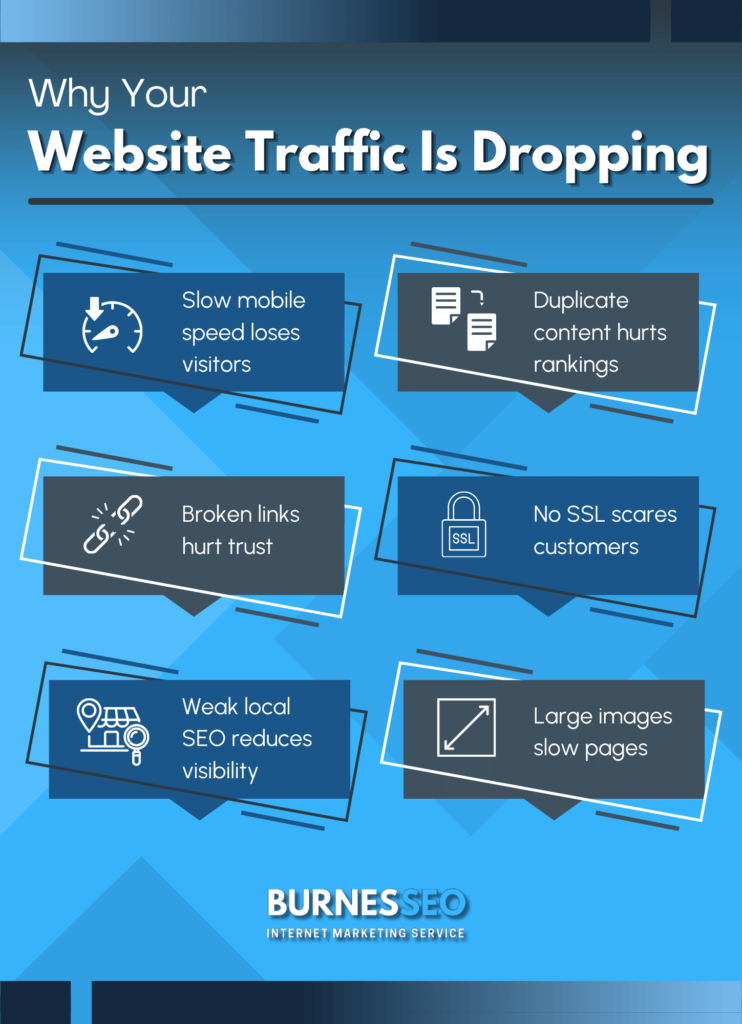
Why Your Website Traffic Is Dropping
Why Technical SEO Can Feel So Confusing (And Why It Matters)
Technical SEO feels intimidating because it is tricky and not always visible. For example, you can see the design and content on your website, but there are some parts of your website you can’t see – those parts or elements are from Technical SEO, and search engines rely on them completely.
So, when something goes wrong at the Technical backend, it affects how users and search engines interact with your website. Also, at this point, your rankings slip, search visibility drops, and all the effort you’ve put into your site yields nothing in the end.
What’s the reassuring part? You can fix these technical SEO problems once you identify where they clearly are.
1. Crawl Issues That Stop Search Engines in Their Tracks
One of the most common technical SEO errors is when search engines struggle to crawl a website.
Your content might be great, but if it is not discoverable, it will never show up to people online.
What this can feel like:
- Your pages aren’t appearing on Google
- You notice a sudden traffic loss
- Your visibility drops without a clear reason
How we fix it together:
Check Google Search Console and identify crawl issues. Ensure:
- Your sitemap is submitted and updated
- Reviewing your robots.txt file
- Using tools like Screaming Frog to run a deeper audit
When you fix crawling issues, it brings immediate clarity and quick ranking improvements.
2. Indexing Problems That Keep Your Pages Invisible
It is really disturbing when you create content and realise it has never been indexed on the search engine.
What’s indexing? It is the process of how search engines store and organize your webpages. Even the best content becomes invisible when something goes wrong at this point.
Common issues we see:
- Pages accidentally set to “noindex.”
- Duplicate content confuses search engines
- Low-value pages are not being prioritised
Practical steps to fix:
- Use Google Search Console to check index coverage
- Remove unnecessary noindex tags
- Consolidate duplicate content
- Improve the quality and relevance of your pages
Fixing these technical areas and making small adjustments significantly improves your website’s search rankings.
3. Broken Links and Redirect Issues That Frustrate Everyone
A broken link is not just a small inconvenience; it breaks people’s trust.
When users encounter a dead or broken page, it frustrates them. And when a search engine detects too many broken paths/links, it affects your website’s rankings.
What to look for:
- Pages returning 404 errors
- Redirect issues like loops or chains
- Outdated internal link paths
How to fix broken links:
- Run regular audits
- Update or remove broken links
- Simplify redirect structures
So, fixing broken links also improves your SEO and you restore confidence to your visitors.
4. Slow Page Speed That Drives Visitors Away
A slow-loading page is really frustrating for visitors.
Slow page speed is one of the most common technical SEO problems, and it negatively impacts user experience and rankings as well.
Common causes:
- Large, unoptimised images
- Heavy scripts
- Hosting limitations
Gentle but effective fixes:
- Use PageSpeed Insights to identify speed issues
- Compress images
- Enable caching
- Clean up unnecessary code
So, improving webpage speed increases website engagement and yields better search engine rankings.
5. Poor Mobile Experience That Costs You Visibility
Mobile responsiveness is everything. Many brands don’t realise this, and they hurt their web rankings by ignoring the mobile experience.
When you focus on mobile-first indexing, search engines improve your website’s performance on mobile devices.
Signs of poor mobile usability:
- Difficult navigation
- Slow loading times
- Layout issues on smaller screens
How to fix:
- Use responsive design
- Test regularly across devices
- Improve mobile page speed
Using these fixes, you can improve both website usability and visibility.

6. Weak Internal Linking That Limits Your Growth
Internal website link structure is just like a roadmap, helping search engines understand the site. It also helps users navigate the website.
If the internal link is missing or inconsistent, your website’s SEO value gets diluted.
Common internal link mistakes:
- Orphan pages with no links
- Poor anchor text
- Inconsistent linking patterns
How to fix:
- Add meaningful internal link connections
- Guide users through related content
- Strengthen your site structure
So, a strong link strategy improves ranking and user experience.
7. On-Page SEO Issues That Hold Back Your Pages
Even if your website has small on-page SEO issues, it noticeably impacts it.
What we often see:
- Missing or duplicate meta tags
- Weak meta description writing
- Poor keyword alignment
How to fix:
- Write clear, unique meta descriptions
- Optimise headings and structure
- Align your content with search intent
On-Page SEO brings clarity to your website and enhances performance. It also helps the search engine understand your content better.
8. Duplicate Content and Content Issues That Confuse Search Engines
Duplicate content hurts and dilutes your website’s authority.
Why it matters:
Search engines don’t really know which version to prioritise. This, in turn, affects your rankings.
How to fix:
- Use canonical tags
- Merge similar pages
- Improve content quality
Fixing content issues improves your overall SEO performance.
9. The Importance of Regular SEO Audits
Long-term results are important in Technical SEO. If you continuously audit your website for SEO, it brings you long-lasting results.
This habit helps you catch technical SEO issues early, so you have a lot of margin to improve.
What to focus on:
- Crawl and index health
- Broken links and redirect issues
- Page speed and usability issues
- Overall website performance
So, use tools like Google Search Console and Screaming Frog. It makes this process much easier.
Practical SEO Safety Checklist
Use this simple checklist to help you stay on track:
- Monitor crawl and index status regularly
- Fix broken links as soon as possible
- Review page speed and speed issues
- Strengthen your internal link structure
- Run regular audits
- Improve user experience consistently
Checking and balancing these small steps protects your SEO efforts for a long time.
Best Fit: Who This Is For
This guide is especially for you if your website is:
- Experiencing unexplained traffic loss
- Dropped Search engine rankings
- Not showing results even after many attempts to improve SEO
- Wanting long-term growth
If some of these even sound familiar, don’t worry, because it’s fixable.
Frequently Asked Questions
What is the most common SEO mistake?
The most common SEO mistake is ignoring technical issues like crawling, indexing, and ranking.
How often should I run an SEO audit?
You should run an audit for your website every few months and more often if you have a larger website.
Can fixing technical issues improve traffic?
Yes, fixing technical issues really improves traffic for businesses. They see improvements in organic traffic after resolving technical problems.
Do I need professional help?
Professional help is not a must-have. But having SEO Specialists by your side helps you identify and fix the issues easily.

Conclusion
If your website is not working as expected, it does not mean that you’ve failed. Rather, it signals that something needs attention behind the scenes.
Technical SEO issues are often invisible and overwhelming, but fixing them brings opportunities to improve your search engine rankings.
When you address these common technical SEO Mistakes, improve user experience, and use the best SEO practices, you can rebuild your brand’s confidence and momentum.
Lastly, if you need guidance along the way, Burnesseo is always here to help you.
Contact us and let’s uncover what’s happening beneath the surface of your website. Let’s fix your Technical SEO issues together and support long-term growth for your brand.